
A WordPress move is ready when the new installation has the right data, serves the intended addresses and completes the site’s important tasks. Copying files is one stage. The harder question is what happens to changes made while you are copying them.
This guide covers planning a single WordPress installation’s move. A network using WordPress Multisite needs a procedure designed for that setup. Historical Systm Web migration offers are background to the topic, not a service or price available from this independent publication.
Separate a hosting move from an address change
Write down the current and intended public URLs. Moving to a different server while keeping the same domain and paths is different from changing domains, switching a subdirectory or rewriting article addresses. The official WordPress migration guide treats these cases separately.
List what belongs to the move: the WordPress database and files, plus any external services or server configuration the site depends on. Identify who controls hosting, DNS, certificates and mail. A person with a WordPress account may not control any of the others. Agree which systems are changing and which simply need to continue working.
Create a recovery point you can use
The WordPress backup documentation explains that a typical site needs both database and files to be restored. Treat them as a related set, record when they were taken and keep recovery instructions accessible outside the site being moved.
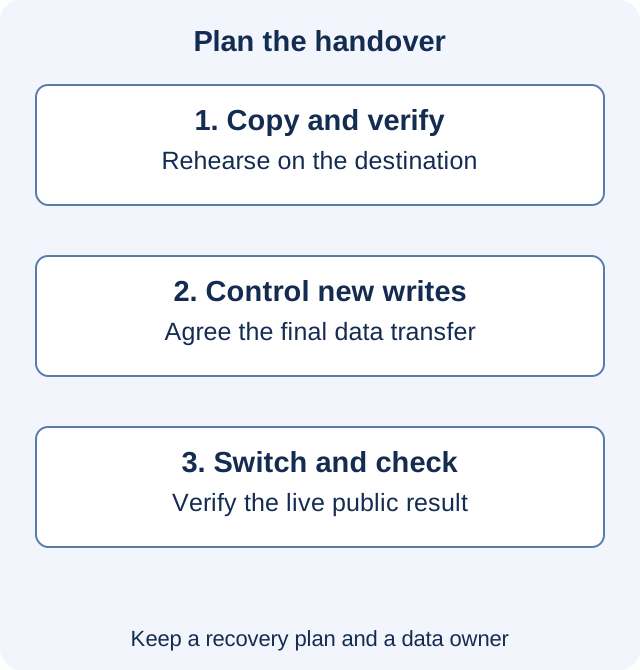
Have a person responsible for restoring that set, a place to restore it and a way to verify the result. If a copy cannot be opened or the required database credentials are unavailable, the existence of a backup job is not enough. Do a rehearsal appropriate to the site before relying on the move’s fallback.
Decide where new data is allowed to arrive
Imagine an editorial site copied at 10 a.m. An editor publishes an article at 10:15, while the public address still reaches the old host. If the 10 a.m. copy becomes the new site unchanged, that article is missing. The same problem becomes more consequential when orders, bookings or form submissions continue during the move.
Choose a change window and a method with the site’s operator. A brief editing pause may suit a small publication; a busy transactional site may need a more involved transfer and reconciliation plan. State which installation accepts new writes, when the final data transfer happens and how any intervening records are accounted for.
Test the destination before the public switch
Use the host’s supported preview or another controlled method that actually reaches the destination. Confirm that you are testing the new installation, not the old site through a cached address. Where redirects, cookies or certificates depend on the intended hostname, include those conditions in the test rather than assuming a temporary preview address proves them.
Check an article with images, a category, search and any real submission or purchase flow. For integrations with external effects, use their supported test mode or arrange a controlled test. Disable duplicate production jobs on the test copy so that a rehearsal does not send real messages, process a second order or run a scheduled publication twice.
Record known pre-existing problems separately. A migration should not silently become an unexplained redesign, plugin overhaul and hosting change in one step. Keeping changes identifiable makes a failure easier to investigate.
If addresses change, prepare a map
For a domain or path change, list each old public address and its intended equivalent. Google’s site-move guidance recommends preparing and testing a URL mapping, then redirecting old URLs to their corresponding new locations. Sending every old article to the homepage loses that correspondence and is not a substitute for restoring the article.
WordPress stores some settings as serialized data. The official WP-CLI search-replace documentation describes handling that format and provides a dry-run mode. Have the operator preview the intended replacements and check the table scope. A broad text replacement through a raw database export is not equivalent to a reviewed migration operation. The WordPress guide also cautions against changing post GUIDs as if they were ordinary destination links.
Switch traffic, then verify the public result
Record the switch time and check the site from the public address. Inspect HTTPS, redirects, representative pages and the important task flows again. Check whether relevant mail and third-party services still reach the intended systems. DNS and mail settings should be changed deliberately, not copied from an unrelated example.
Remove a temporary indexing restriction only from the public pages intended for search; keep test and private environments protected. Review canonical URLs and the sitemap if addresses changed. Search-engine processing can take time, and these checks do not promise an immediate ranking or indexing outcome.
Define the fallback before you need it
Agree which failures would stop the switch and who makes that decision. If new data has already arrived at the destination, reverting traffic to an older database can lose those changes. Reconcile that data with the operator before treating a rollback as a simple address reversal.
Keep the old environment until the agreed verification and retention needs are satisfied. End with a short record of the final transfer, public checks, outstanding issues and the person responsible for them. Continue with the regular WordPress maintenance routine; if access is being handed to someone new, use a task-specific access plan.
Historical source context: archived Systm Web page 1. Technical references above were checked on November 16, 2026. Illustrative scenarios are not reports of client work.