
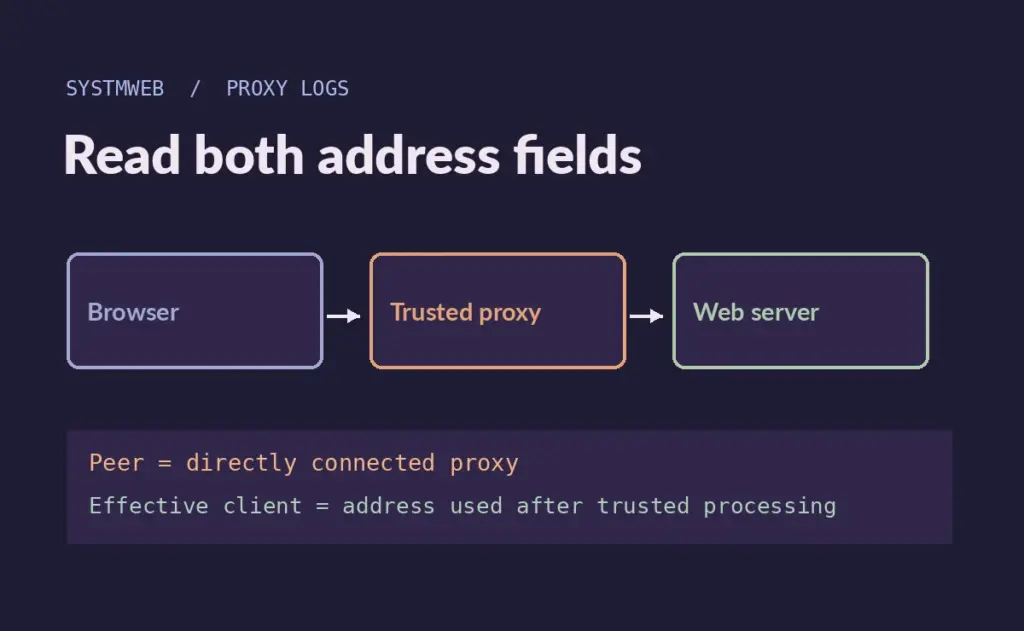
Record both the network peer that connected to your web server and the client address your server uses after processing a trusted proxy header. When you read a log later, those two fields tell you which hop you are looking at.
Start with the route your own request takes
Draw the path from a browser on a network you control to the public proxy, then from that proxy to your server. Make a request to a harmless page on your own site and match its time and path in the logs. Use an ordinary browser request or a controlled staging test. Your aim is to understand which part of your own system wrote each line.
In a fictional setup, the origin’s immediate peer is a reverse proxy. Nginx can use the proxy-provided address as the logged client address when the original peer is trusted and the real-IP configuration applies. The real-IP module also has a variable that retains the original peer address. Keep the two field names in your note so a future maintainer can reproduce the observation. Nginx documentation for the real-IP module.
Find the trust boundary before reading the header
Record which connection paths are allowed to supply client-address information and which header or protocol those paths are configured to use. The existing trust list should describe the actual proxy boundary. A client-supplied header has a different role from data received at that boundary. Check the current configuration and the applicable proxy documentation before adjusting it.
When Nginx’s real-IP module has replaced the address for a trusted proxy connection, it documents $realip_remote_addr for the original address. In that case $remote_addr is the effective client address used by Nginx. In the fictional log, record those field names beside your request. If PHP reports an address of its own, verify separately what the web server passes in this installation.
Attach the note to a small, repeatable check
Keep one example request time, the two field names and the relevant site or staging configuration location. Make a note of what should change when you make the same request from another authorised network. If the new line is surprising, compare it with the proxy’s own record and check that you looked at the matching request.
The resulting runbook has a practical purpose: it gives the team enough context to interpret a traffic report or an access rule without guessing what an IP column means.