
The January 2025 Systm Web note linked to a video from The Slow Mo Guys 2 about extending a Synology NAS. Its title gives the figure of 1.9 petabytes. That is the number attached to the demonstration. To size a working archive, ask how much footage fits, what happens when a drive fails, and how fast a file can be recovered.
Start with the number you can account for
The video publisher describes adding an RX6022sas expansion unit. The archived Systm Web note records a reaction to the scale and wonders about the power bill. It does not list the drives, usable volume or measured power consumption. Those quantities need their own records. The archived note and the creator’s video are linked below.
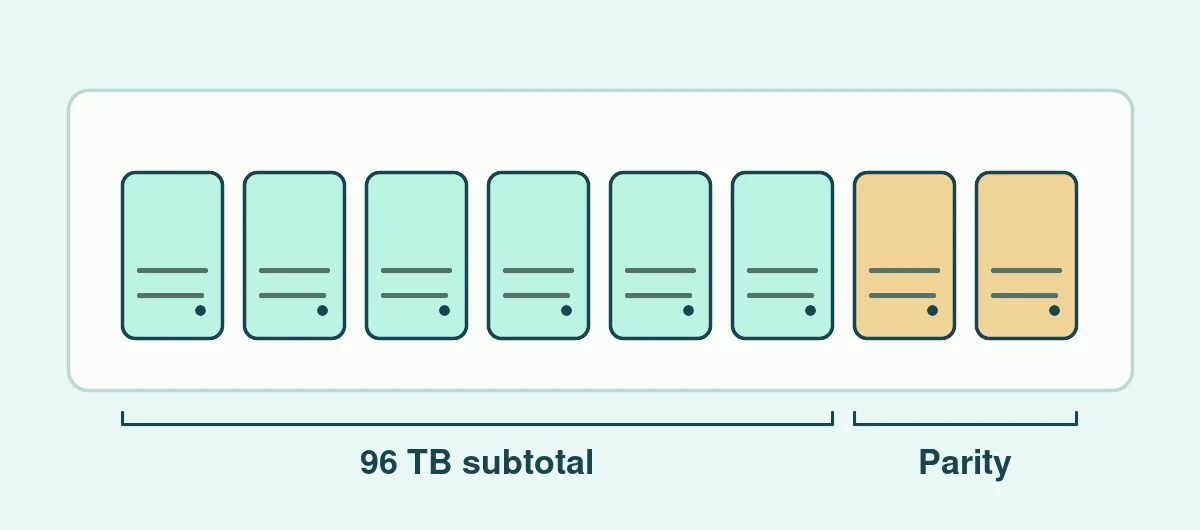
For a separate example, imagine eight equal 16 TB drives. Their labels add up to 128 TB. With a simple eight-drive RAID 6 layout, parity uses the equivalent of two drives, leaving 96 TB before filesystem and other reservations. That subtotal is about 87.3 TiB because a tebibyte and a decimal terabyte have different sizes. Use the same units when comparing the estimate to a volume display. Synology’s calculator describes its units and estimates capacity for a selected layout. Synology RAID Calculator
One earlier post linked from the archive gives a real example of the mismatch. The 2020 NAS expansion note records both the calculator result and the author’s finished volume reading.
Budget for a recovery you can test
List the files you need to restore after a disk failure, accidental deletion or loss of the enclosure. Drive redundancy keeps some failures from taking the pool offline. A separate copy gives you somewhere to recover a folder that was deleted from the live volume. Give each copy a location, a retention period and an owner.
For a video archive, test a whole shoot rather than a few tiny files. Restore the media and sidecar data into an empty folder, open the clips and record how long the transfer took. The same principle applies to a WordPress migration. A backup becomes useful when you know which version it contains and how long it takes to make that version usable.
Put a meter on the power question
Record the NAS and any expansion shelves over a representative period. Note when drives are cycling, when an ingest or verification job is running, and whether the reading includes networking or a UPS. In an illustration, an average 120 W running all year uses about 1,051 kWh. Multiply the measured figure for your system by your own energy rate. Name the equipment included in the reading so a later comparison uses the same boundary.
Sources for the original note
The February 2025 capture of Systm Web’s January note preserves the video it discussed. The video by The Slow Mo Guys 2 remains with its publisher. The storage and energy examples here are worked estimates for separate hypothetical equipment.